File converter that uploads nothing
Convert images, PDF, data and text right in your browser. Your files never leave your device – the counter below measures it live.
Frequently asked questions
Are my files uploaded to a server?
No. The converter on this page processes everything in your browser. A server is used only by the API (the file is processed in memory and discarded right away) and for YouTube downloads (the file is deleted right after you download it).
Is the converter really free?
Yes. In-browser conversion is free, without sign-up and without watermarks. A Free account adds presets, history and 50 API conversions a month; Pro raises the limits.
How big can my files be?
Without an account and on Free, images up to 20 MB and 20 files at once; on Pro up to 50 MB and 50 files. The limits protect your device’s performance.
Why don’t you convert video, audio or HEIC?
Converting video and audio files or HEIC is very demanding. We would rather not offer it than overload your computer or send your files to a server. The one exception is a YouTube link, which our server downloads as MP3 or MP4.
Does the converter work without internet?
Yes. After the first visit your browser keeps the app, so conversions work offline. Accounts and the API need a connection.
What happens to the data stored in photos?
GPS location, camera model and other EXIF data are removed when an image is converted. The result won’t reveal where or with what it was taken.
How does converting to an exact size work?
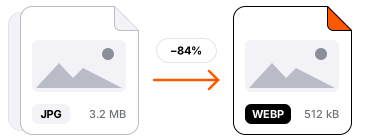
For JPG and WebP you enter a target size in KB. The converter tries several quality levels and picks the highest one that fits.
Can I use the results commercially?
Yes, the output files are yours. For automation in your company we recommend the API with a key.
Popular conversions
Languages
For developers and AI agents
AdScaled products
- AdScaled BG Remover: Remove backgrounds, objects, metadata and more, free in your browser
- AdScaled LinkBoard: Send links, text and files between your devices, no sign-up
- AdScaled Shop: Marketplace of independent shops
- Made by the AdScaled agency